bin eben dabei eine frische notes 8 installation zu konfigurieren – dabei frage ich mich, warum es alle settings zumindest doppelt gibt??
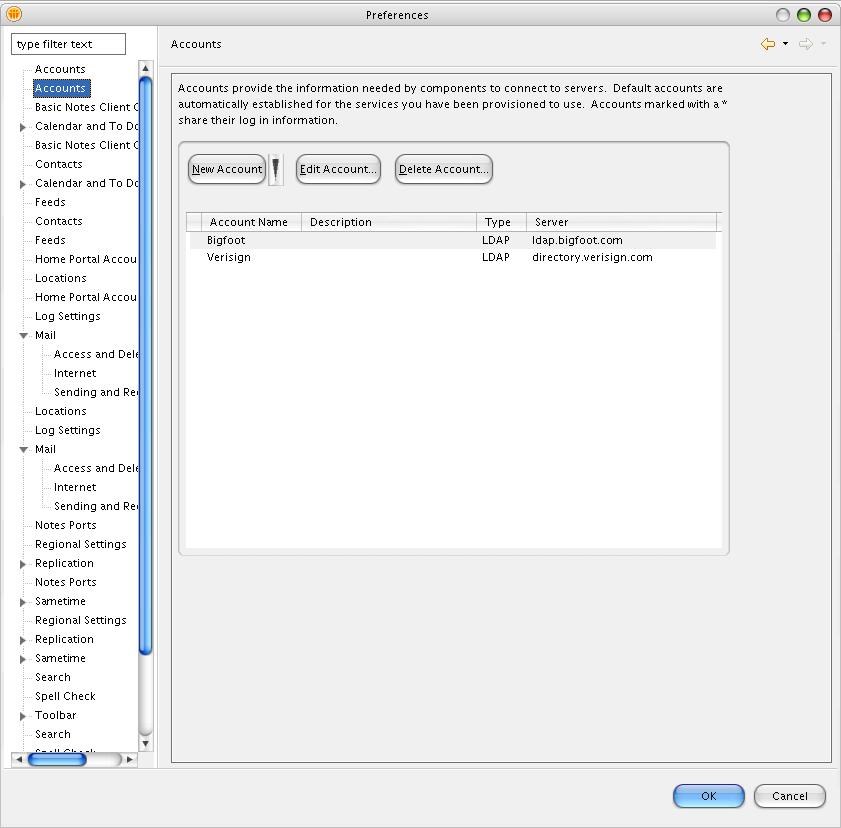
und wie bitte bekomme ich meine guten alten workspace wieder?
unzusammenhaengende, durch die wirklichkeit nicht gestuetzte aussagen – die konfabulierten inhalte werden von hipslu gewoehnlich für wahr gehalten
About Year: 2007
bin eben dabei eine frische notes 8 installation zu konfigurieren – dabei frage ich mich, warum es alle settings zumindest doppelt gibt??
und wie bitte bekomme ich meine guten alten workspace wieder?
während ich das mailtemplate ganz nett finde (obwohl hier nicht alles auf das neue design geändert wurde ❗ ) sind andere besonders schlimm; z.b. die application library in erbsenspeibgrün:
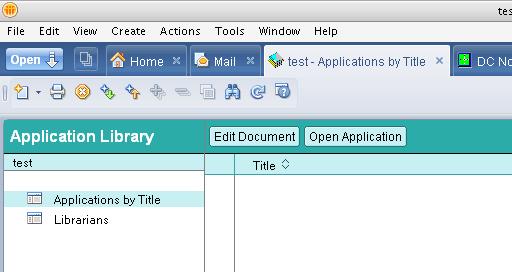
und überhaupt sind nur sehr wenige templates in einer 8er version inkludiert…
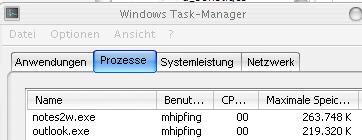
die performance ist weiterhin eher traurig, in summe belegt der client nun weit mehr als 300 mb speicher (super beim ram sizing eines terminalservers)
visionapp Experience 2007 ist nun freeware:
visionapp Experience 2007 dramatically reduces the time needed to install a single server instance of a Citrix Presentation Server 4.5 application delivery infrastructure. Powered by core technologies of visionapp and concepts of iQurious, the tool allows users to experience the powerful new capabilities of the Citrix Presentation Server 4.5 platform in 20 minutes instead of several hours.
dieses tool installiert unter anderem die terminal services, iis, citrix automatisch und published auch gleich applikationen – sehr zu empfehlen!
es ist soweit – notes und domino 8 stehen zum download bereit:
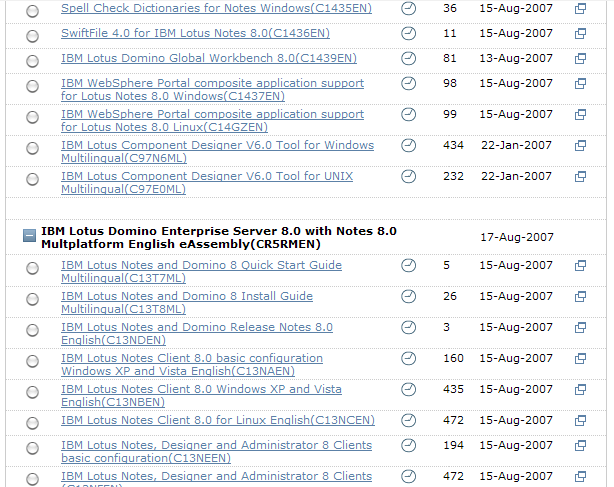
… ich bin allerdings nicht der einzige, der gerade dabei ist herunterzuladen – denn die downloadrate ist eher bescheiden
ron sebastian (executive architect lotus software) zeigt einige neue features:
spannend dabei: auch die “recall a message” funktion ist dabei – ab 17. august ist es soweit: dann steht notes domino 8 (in englisch) zum download bereit!
mein lieblings-feature: die google desktop integration!
ich muss immer wieder aufs neue feststellen, dass ou’s nur nachteile haben; hier wieder mal ein besonders dicker hund – mit einer ebenfalls traumhaften “lösung” von ibm dazu:
Private folders lost after migrating users from one OU to another
Problem
Users cannot see folders which were created as private in their Lotus Notes® mail file after migrating them from a current organizational unit (OU) to a new OU using the Adminp command. However, users are able to see shared folders.Solution
This issue was reported to Quality Engineering as SPR# NVJI75P3Y8.You can work around this issue as follows:
1. Convert your private folders to shared folders before migrating to the new OU.
2. Migrate the shared folders to the new OU. At this point, you will be able to see all folders.
3. Convert the shared folders back to private folders.
… kann mir jemand einen guten anbieter für webhosting empfehlen? meine ansprüche sind nicht aussergewöhnlich:
– zumindest halbwegs aktuelles php und mysql
– zugriff auf die datenbank per phpmyadmin
– zugriff per ftp
– https
– webmail
– usage statistik (z.b. per webalizer oder besser per weiterentwicklung von webalizer)
– ca 30gb traffic pro monat
– schnelle reaktion vom support
danke!
…. hast du dich jemals gefragt, wie der kleine Pfeil auf deinem Computerbildschirm funktioniert, wenn du die Maus bewegst? Durch das Wunder der Nano Technologie können wir herausfinden, wie’s gemacht wird. Mit Hilfe des Vergrösserungsglases wird der Mechanismus sichtbar. Klick auf www.1-click.jp und bewege die Maus innerhalb des Kreises, der auf dieser Webseite gezeigt wird (darfst ruhig auch mal klicken oder danach den Zeiger ruhen lassen).
Active Directory Explorer (AD Explorer) is an advanced Active Directory (AD) viewer and editor. You can use AD Explorer to easily navigate an AD database, define favorite locations, view object properties and attributes without having to open dialog boxes, edit permissions, view an object’s schema, and execute sophisticated searches that you can save and re-execute.
AD Explorer also includes the ability to save snapshots of an AD database for off-line viewing and comparisons. When you load a saved snapshot, you can navigate and explorer it as you would a live database. If you have two snapshots of an AD database you can use AD Explorer’s comparison functionality to see what objects, attributes and security permissions changed between them.
geniales tool!