hint: all plugins do work with wp 1.5 and 2.x
wp feed on feeds
what´s that?
do you know feed on feeds? you really should! why not use your subscribed feeds for a blogroll? this is what this plugin can do for you. it prints out a list of your subscribed feeds …
changelog
v1.0: first public release
v1.1: fixed the annoying “redeclare” bug
v1.2: another try to fix the annoying “redeclare” bug
todo in next release
full integration of feed on feeds into the wordpress admin area (user authentication!)
install
download hipslu_wp-feedonfeeds.php and place it in your plugin directory (wp-content/plugins). then, open your plugin administration and activate the plugin. that´s it.
how does it look like?
there will be a new menu entry:
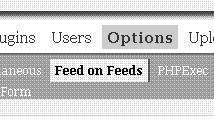
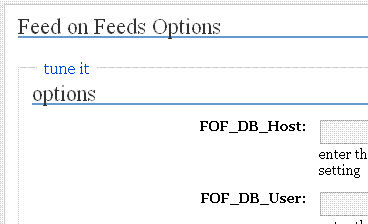
configure your options:
open blogs i enjoy for a live demo
how to use?
there are two functions:
hipslu_fof_get_count(): outputs the sum of your subscribed feeds
hipslu_fof_get_feedlist(): outputs a list of your subscribed feeds
so you may call in a page (using php-exec):
<?php
echo “<h2>i´m currently reading ” . hipslu_fof_get_count() . ” feeds:</h2>″;
hipslu_fof_get_feedlist();
?>
problems – suggestions?
please report them here.
wp head
what´s that?
you can add everything you want to your head – e.g. meta tags without the need to edit your template
changelog
v1.0: first public release
v1.1: fixed the annoying “redeclare” bug
v1.2: another try to fix the annoying “redeclare” bug
todo in next release
nothing special, as it is a wfm (works for me) version 😉
install
download hipslu_wp-head.php and place it in your plugin directory (wp-content/plugins). then, open your plugin administration and activate the plugin. that´s it.
how does it look like?
there will be a new menu entry:
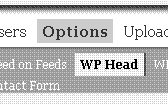
configure your options:
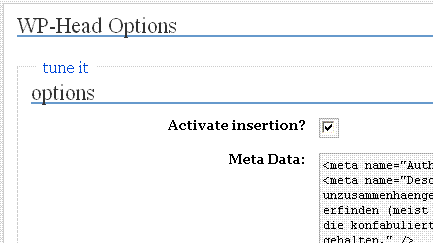
how to use?
nothing else to do!
problems – suggestions?
please report them here.
wp javascript
what´s that?
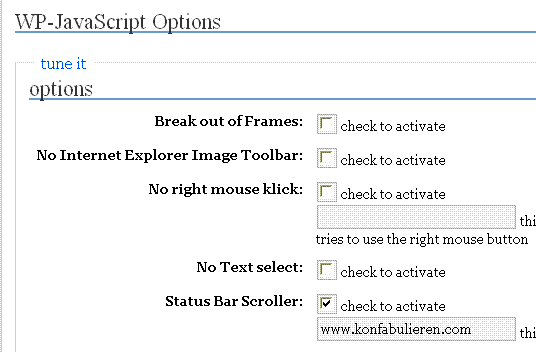
you can dissallow the following things with this plugin:
– no right mouse click
– no text selection
– no internet explorer image toolbar
plus break out of frames and a cool status bar animation!
changelog
v1.0: first public release
v1.1: fixed the annoying “redeclare” bug
v1.2: another try to fix the annoying “redeclare” bug
v1.3: fixed a wrong hook
v1.4: now does not run if page is in preview mode (cause of break out of frames)
todo in next release
dynamic text in status bar and no right click box
install
download hipslu_wp-js.php and place it in your plugin directory (wp-content/plugins). then, open your plugin administration and activate the plugin. that´s it.
how does it look like?
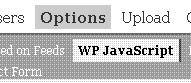
there will be a new menu entry:
configure your options:
or, look at the status bar for an example…
how to use?
nothing else to do!
problems – suggestions?
please report them here.
wp getinternetexplorer
what´s that?
after finding getinternetexplorer.com some hours ago i thought to myself: what a cool idea 😉
changelog
v0.1: first public release
v1.1: fixed the annoying “redeclare” bug
v1.2: another try to fix the annoying “redeclare” bug
todo in next release
a lot (when enough are using it). a picture “spread ie” instead of “spread firefox” would be very cool for example
install
download hipslu_getinternetexplorer.php and place it in your plugin directory (wp-content/plugins). then, open your plugin administration and activate the plugin. that´s it.
how does it look like?
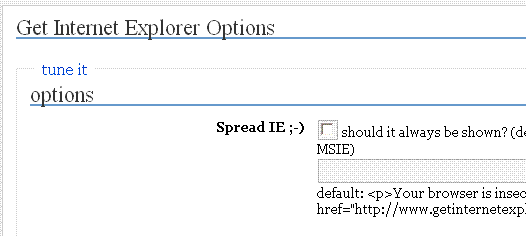
configure your options:
how to use?
call hipslu_getie() wherever you want to
problems – suggestions?
please report them here.
wp default post content
what´s that?
with this plugin you can modify the default value for the content of a new post!
changelog
v1.o: first public release
v1.1: new option: strip slashes
v1.2: fixed the annoying “redeclare” bug and added new option: htmlspecialchars
v1.3: another try to fix the annoying “redeclare” bug plus added the option to define a default title and default excerpt
todo in next release
nothing special, as it is a wfm (works for me) version 😉
install
download hipslu_wp-default-post-content.php and place it in your plugin directory (wp-content/plugins). then, open your plugin administration and activate the plugin. that´s it.
how does it look like?
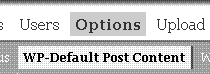
there will be a new menu entry:
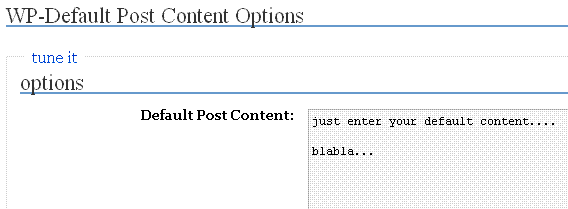
configure your options:
how to use?
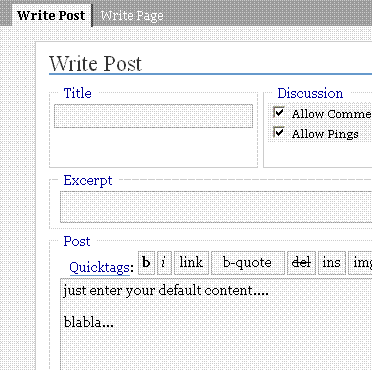
after setting your default post content every new post will make use of it:
problems – suggestions?
please report them here.
wp surprise
what´s that?
as the plugin name describes – be prepared to be surprised
changelog
v0.1: first public release
todo in next release
nothing special at the moment
install
download wp-surprise.php and place it in your plugin directory (wp-content/plugins). then, open your plugin administration and activate the plugin. that´s it.
how does it look like?
it´s a surprise…
how to use?
it´s a surprise…
problems – suggestions?
please report them here.
2 thoughts on “wordpress-plugins”
Comments are closed.